The browser-tab shuffle ends here.
Summon generates images, video and lipsync inside After Effects, from the frame under your playhead, straight back to your timeline.
- Zero markup: your own fal.ai key, you pay fal's listed prices.
- Zero shuffle: no exporting, no download folders, no re-importing.
Try the full panel free for 7 days, no payment card required for Summon. Generation requires your own fal.ai API key; fal.ai bills usage separately, with no Summon markup.


From playhead to timeline.
This is the whole loop.
A real run through the Animate tab: two frames in, one clip out.
No exporting, no downloads folder, no re-importing.
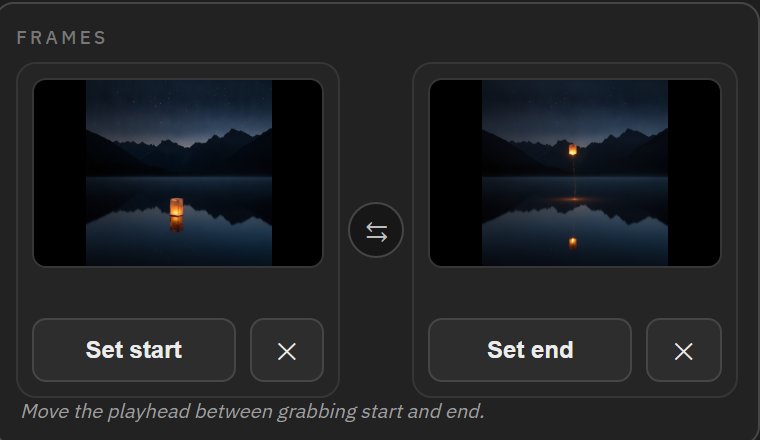
Set your start and end frames
Two frames tell the story: where the shot begins and where it should land. Grab them straight from your playhead, from History, or from disk. Here: a lantern resting on the lake, and the same lantern already in the sky.
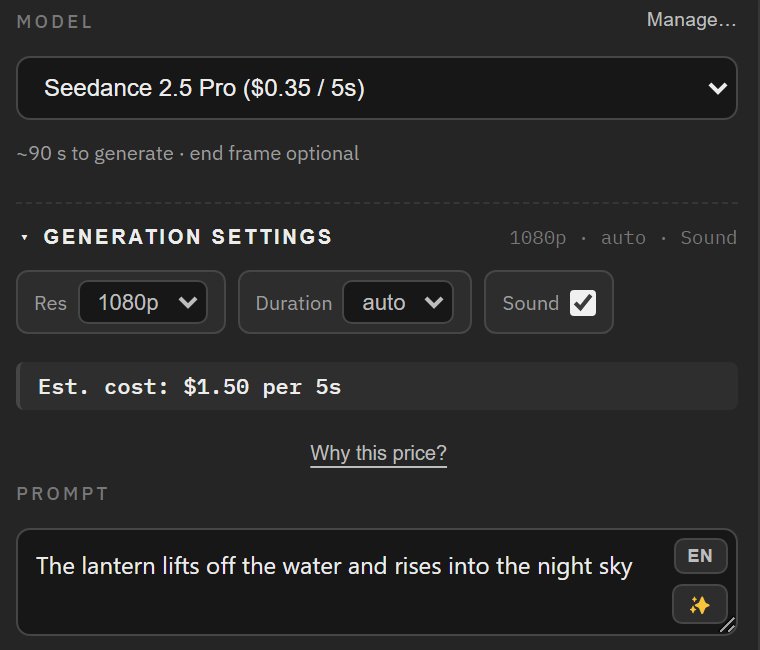
Pick the model. See the price. Generate.
Seedance 2.5 Pro, with only the controls it actually has: resolution, duration, sound. The estimated cost sits right above the Generate button; the final charge is set by fal.ai. Jobs run in parallel while you keep animating.
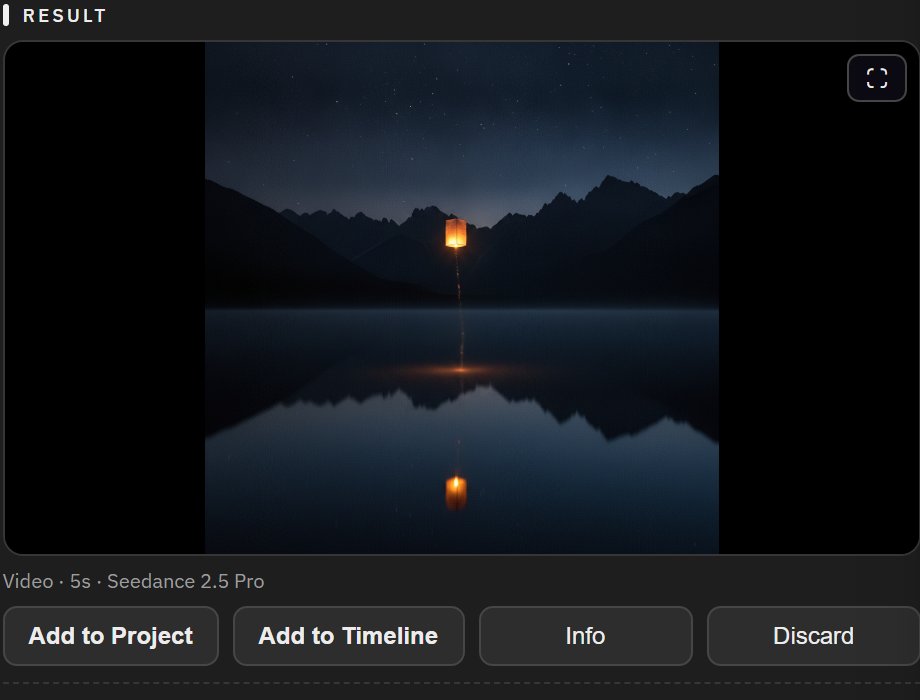
A finished clip, back where you work
About ninety seconds later the clip is in your Result window: the lantern lifts off exactly between your two frames. It is already saved into the project folder, and one click puts it on your timeline at the playhead.
Why working inside the comp changes everything.
Edit the frame you are looking at.
The frame under your playhead becomes the input: edit it, animate it, or use it as a reference, without exporting a file or opening a single folder. What you see in the viewer is exactly what the model gets.
New models, usually the same day.
44+ models built in, each with its own controls. The Model Manager syncs directly with fal.ai, so most new models work the day they appear, no panel update needed. When one needs different plumbing, it comes in the next update instead.
Every take, one click away.
Every generation is saved into an organized folder next to your .aep, and the Activity drawer keeps each take with its prompt, model, settings and cost. Search it, filter it by project, and drag any take straight back into the slots.


See the estimated cost before you press Generate.
An estimate before every run, the cost fal reports after it, and a per-project spend log you can export. No credit packs, no tokens; usage appears in your own fal.ai account.
Upscale to 4K without leaving the panel.
Every result and any comp layer can be upscaled in place: locally through the Topaz apps you already own, free with your existing license, or in the cloud when you want the heavy lifting elsewhere.
Vertical to widescreen. And back.
Give Summon a clip and a target aspect ratio, and the model recomposes the shot for the new frame instead of just cropping it. Watch the sides: when the frame opens up, new scenery is generated to fill it.
One panel. Four jobs.
| What you can do | You give it | You get back |
|---|
The lineup stays current. Summon syncs directly with fal.ai, so most new models can be added through the Model Manager without waiting for a panel update.
No markup. Do the math.
Summon connects to your own fal.ai account. Generation costs go to fal at their listed prices, and none of it passes through us.
Tools that resell credits price every generation with a margin on top. Summon is a software license, and the compute stays between you and fal.
What studios say about Summon.
Everything happens inside After Effects now, and in parallel. I send off three generations, keep animating, and upscaling is one click. I have never turned client rounds around this fast.
A new model dropped on fal on a Tuesday and I was generating with it inside After Effects the same day. No update, I just added it myself.
The spend log per project is something I did not know I needed. I bill AI costs to clients with an actual export instead of a guess.
One license. All of it.
Every plan is the full panel: all four tabs, all the models, the Model Manager, history and spend tracking. Launch pricing.
For teams that generate together.
- 5 seats, each on up to 2 computers
- Everything included, all updates
- Renews yearly. Cancel any time; the paid year runs to its end.
Launch sale: $89.99 for the first year if you buy by October 23, then $119 a year.
For professionals who use Summon across projects.
- 1 seat, up to 2 computers
- Everything included, all updates
- Renews yearly. Cancel any time; the paid year runs to its end.
For one deadline or one client project.
- 1 seat, up to 2 computers, 30 days
- Full $39 credited toward an Individual license if you upgrade within 60 days
- Nothing to cancel
Questions, answered.
What accounts and payments do I need?
An active Summon trial or license, plus your own free fal.ai account with an API key and billing enabled. fal bills your generation usage directly at its listed prices; Summon does not resell compute and adds no markup.
Is my fal.ai key safe?
Your key is stored locally on your computer and is sent only to fal.ai itself, over an encrypted connection. It never passes through Summon's servers.
Which models are included?
44+ models ship built in across the four tabs, and the Model Manager can add most new fal.ai models the day they appear, without waiting for an update.
Where are my generations saved?
Into your project's own folders, next to the .aep file. History, costs and reuse data travel with the project, so opening it elsewhere brings everything along.
What about new models and updates?
Most new fal models work immediately through the Model Manager. Panel updates ship regularly; annual plans always include them, lifetime includes ongoing updates too.
Can I try it first?
Yes. You can try the full panel free for 7 days, no card needed for Summon. Generating during the trial uses your own fal.ai key, billed by fal.ai.
How do I get started?
Download the free trial, install it with ZXP Installer, connect your fal.ai key, and generate your first image. The User Guide (PDF) walks through every tab and button with screenshots, and the download page has the quick steps.
How do I install it?
Download the .zxp file and drag it into the free ZXP Installer, then open After Effects and choose Window, Extensions, Summon. The download page has the steps for Windows and macOS.
What happens when the trial ends?
Generation stops until a license key is entered. Everything you made stays on your disk. Buy a plan, paste the key under Settings, Account, and continue where you left off.
On how many computers can I use it?
Each seat works on up to 2 computers. To move to a new one, click Deactivate this computer on the old one first.
What is the Project Pass?
Thirty days of the full panel for $39, one payment, nothing that renews. If you buy an Individual license within 60 days of the pass, the full $39 is credited toward it, so you pay only the difference.